
Getting One Acceptance Scan for Thousands of Pieces
Last Updated: October 2026
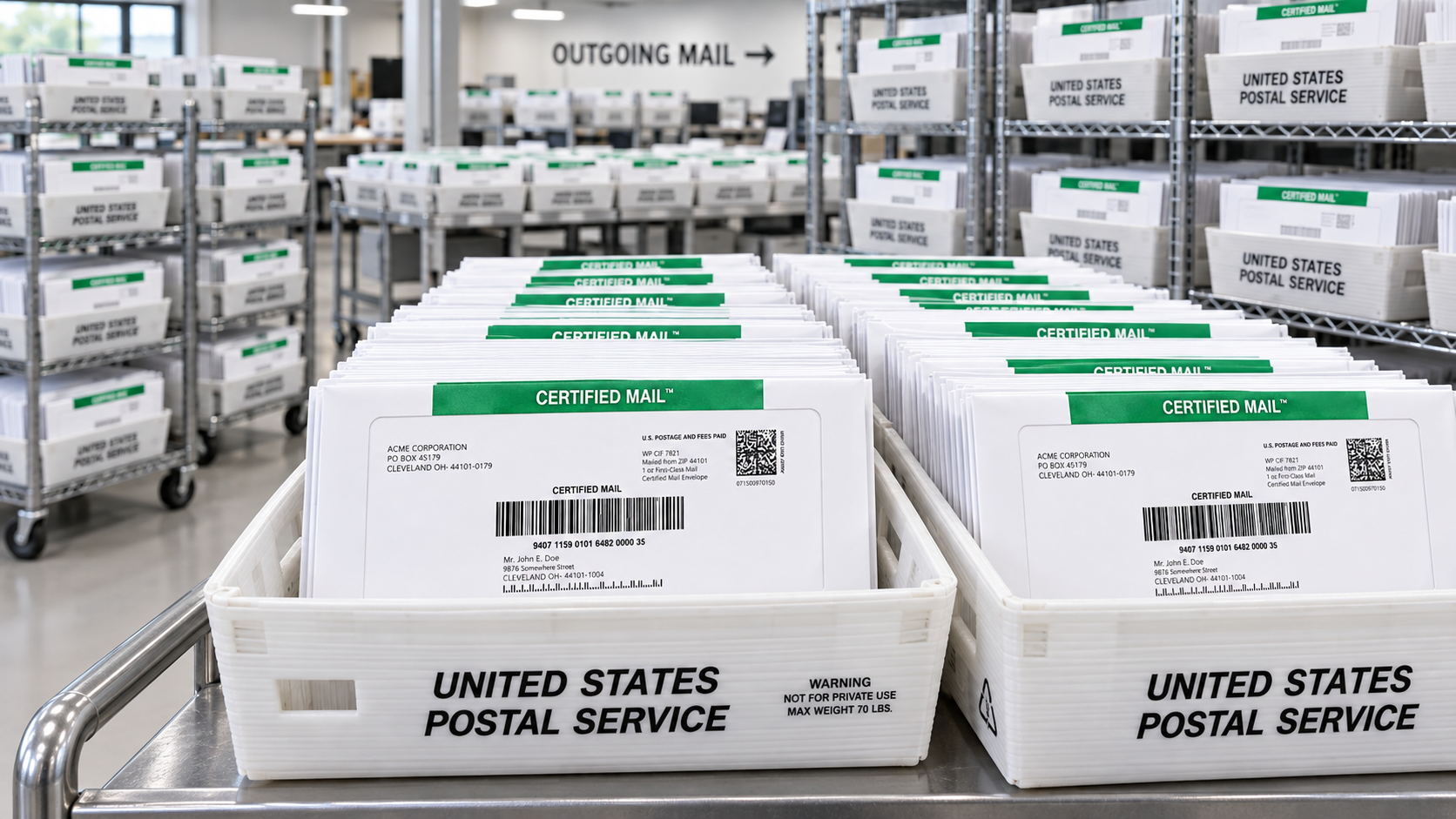
When you send hundreds or thousands of Certified Mail pieces, manual preparation and individual acceptance handling can quickly become slow, expensive, and difficult to document. A high-volume workflow helps you validate addresses, generate unique barcoded pieces, control each batch, and preserve acceptance and delivery records in one organized system.
The short answer: prepare validated addresses and unique barcoded pieces, consolidate the mailing, and use the applicable USPS acceptance and consolidation process so the mailing can be documented efficiently. Certified Mail Labels supports this workflow through Excel/CSV uploads, API integrations, secure SFTP transfers, and a USPS SCAN Form for the mailing batch. Exact SCAN Form eligibility and handling depend on the postage and label method, electronic file requirements, and current USPS rules.
Why Do High-Volume Certified Mailings Need Better Batch Control?
A mailing of 100 pieces may be manageable by hand. A mailing of 5,000 pieces is different.
You need to know:
- Which recipient received which letter.
- Which Certified Mail number belongs to each address.
- Which pieces were included in a specific mailing batch.
- When the mailing was presented to USPS.
- Whether every piece was accepted, tracked, delivered, or returned.
- Where to find supporting evidence months or years later.
A single spreadsheet error, missing barcode, duplicated address, or unrecorded mailing date can create unnecessary work during an audit, dispute, legal proceeding, or compliance review.
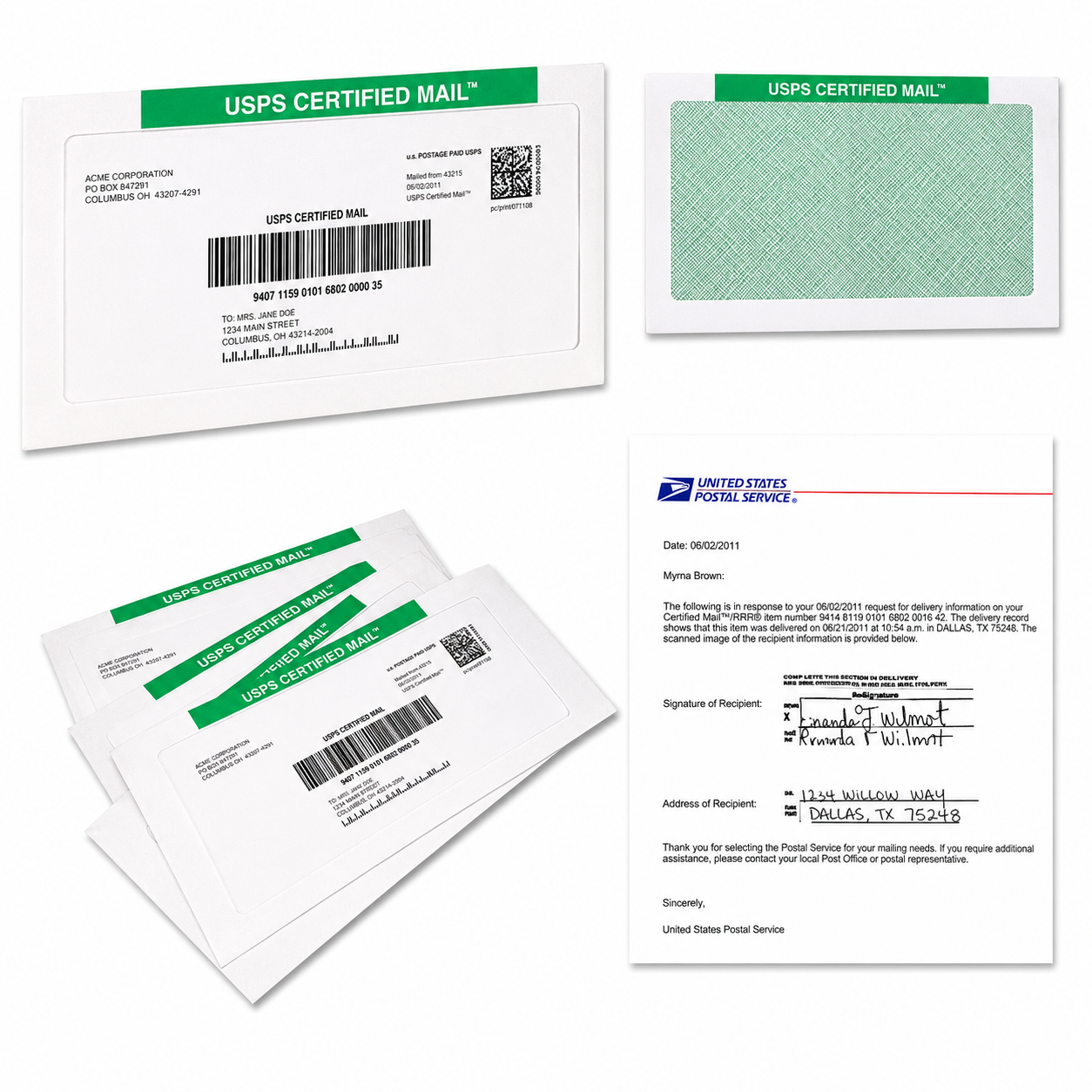
USPS Domestic Mail Manual (DMM) 503 explains the standards for Certified Mail and other extra services. Certified Mail must use the applicable barcoded label or an approved label configuration, and every mailpiece still requires its own Certified Mail identifier. The USPS SCAN Form or other electronic acceptance documentation does not eliminate the need for piece-level records.
What Is the USPS SCAN Form Used For?
A USPS SCAN Form is designed to consolidate eligible pieces or shipments for acceptance processing. Instead of requiring a postal employee to individually scan every eligible barcode at the entry point, the acceptance unit may scan the master barcode associated with the electronic mailing data.
That can make acceptance faster and create a batch-level acceptance event.
However, a SCAN Form does not replace:
- The unique Certified Mail barcode on each piece.
- The address and mailing data connected to each piece.
- Individual tracking and delivery records.
- Required postage documentation.
- Firm sheets, manifests, or other documentation that may apply to your mailing method.
The exact mechanics can vary based on how postage is paid, how labels are generated, the mail class, the electronic file, the provider, and the accepting USPS facility. Current accessible USPS materials do not fully clarify every SCAN Form scenario for every Certified Mail configuration. Confirm the applicable process with your USPS acceptance unit or postage provider before relying on a particular form or scan workflow.
How Does Certified Mail Labels Automate Bulk Mailings?
Certified Mail Labels gives you several ways to move from manual entry to repeatable bulk processing.
Upload Your Excel or CSV File
You can upload a spreadsheet containing recipient names, addresses, ZIP Codes, account numbers, reference fields, and other mailing information. The system can use the list to prepare your Certified Mail labels and connect each barcode to the correct recipient record.
Before production, review your file for:
- Missing names or firm names.
- Incomplete street addresses.
- Missing apartment, suite, or unit numbers.
- Invalid city, state, or ZIP Code combinations.
- Duplicate records.
- Blank rows or extra columns.
- Incorrect mailing dates or internal reference numbers.
Connect Through an API
If you send recurring notices, statements, demand letters, compliance letters, or other time-sensitive correspondence, an API can connect your internal system to the mailing workflow.
You can send the necessary document and recipient data automatically, receive status information, and reduce the need for staff to download, rename, reformat, and upload files manually.
Use Secure SFTP for Enterprise Transfers
Secure SFTP is useful when your organization produces large files on a schedule. Law firms, collection agencies, financial institutions, healthcare providers, insurers, municipalities, and government departments can transfer mailing data through a controlled process.
This helps your team maintain a consistent handoff between data preparation, document production, mailing, and record retention.
Generate One SCAN Form for the Mailing Workflow
For eligible mailing configurations, Certified Mail Labels can organize the batch and provide one USPS SCAN Form as part of the workflow claim. The form is associated with the mailing data and the unique barcodes generated for the pieces.
This can help you:
- Consolidate the mailing presentation.
- Reduce repetitive scanning at acceptance.
- Track the mailing as a controlled batch.
- Preserve acceptance documentation with the order.
- Reconcile expected pieces against processed pieces.
The SCAN Form is an efficiency tool. It is not a promise that USPS will issue one scan for every possible mailing or that one scan will prove every individual event. USPS acceptance procedures and scan results remain subject to the applicable USPS rules and the facility receiving the mailing.
What Does USPS DMM 503 Require for Certified Mail?
Under DMM 503, Certified Mail is available with eligible Priority Mail and First-Class Mail pieces. The section also describes requirements for extra-service labels, barcodes, electronic options, acceptance, receipts, and delivery information.
Important operational points include:
- Certified Mail is charged per piece in addition to postage.
- Each piece must carry the applicable Certified Mail marking and barcode configuration.
- Privately printed labels must meet USPS requirements.
- Mailers using electronic options or printing their own labels may have electronic file and certification requirements.
- A mailer seeking an electronic entry scan may need to submit the applicable form and electronic file number with each mailing.
- USPS may require acceptance at a designated office or business mailing facility depending on the mailing method.
For three or more pieces with extra or accountable services, USPS also describes the use of a firm sheet or an approved electronic equivalent. Your exact documentation package should be determined before the mailing date.
Why Is Address Validation So Important?
A barcode cannot fix a bad address.
DMM 602 explains the basic elements of a complete delivery address, including the recipient or firm name, street or PO Box information, city, state, and ZIP Code. Some mailings may also require additional address quality, Move Update, ZIP Code accuracy, or CASS-related controls.
For high-volume Certified Mail, validate your source data before labels are generated. Your process should identify exceptions rather than silently producing questionable pieces.
At minimum, review:
- Recipient name or firm name.
- Street number and street name.
- Apartment, suite, or unit information.
- City and two-letter state abbreviation.
- Five-digit ZIP Code or ZIP+4 when available.
- Return address.
- Duplicate recipient records.
- Records that fail address matching or standardization.
A clean input list improves barcode accuracy, reduces returned mail, and makes archive reconciliation much easier.
What Should Your Batch Documentation Include?
Your batch should be easy to understand even if the person reviewing it was not involved in the original mailing.
Here are just a few useful batch controls:
- A unique internal batch ID.
- Mailing date and production date.
- Total expected piece count.
- Total successfully generated piece count.
- Exception count.
- Start and end range of Certified Mail numbers, when available.
- Document file name or document version.
- USPS SCAN Form or acceptance document.
- Postage or payment record.
- Tracking and delivery status report.
- Archive confirmation.
Bulk Mailing Control Table
| Mailing Size | Input Validation | Barcode Generation | Batch Control | Acceptance Evidence | Archive Reconciliation |
|---|---|---|---|---|---|
| 100 Pieces | Review every exception, duplicate, missing unit number, and invalid ZIP Code before production. | Generate one unique Certified Mail barcode for every approved piece. | Use one batch ID, one mailing date, and a simple expected-versus-produced count. | Retain the SCAN Form or applicable acceptance document, USPS scan result, and postage record. | Reconcile all 100 recipient records to labels, tracking numbers, and delivery events. |
| 500 Pieces | Run standardized address checks and separate rejected rows into an exception file. | Generate barcodes from the approved file only; prevent duplicate barcode assignments. | Divide into controlled production groups if documents are printed in stages, while keeping one parent batch ID. | Confirm the receiving USPS facility, acceptance method, and whether a firm sheet or electronic file is required. | Compare the original 500-row file to processed pieces, returned pieces, and missing tracking events. |
| 1,000 Pieces | Use automated validation and manual review for high-risk records such as PO Boxes, apartments, or unusual formats. | Generate and lock one barcode-to-recipient relationship per piece. | Track sub-batches by document group, department, client, or production run under the master batch. | Save the SCAN Form, electronic file reference, acceptance scan, postage documentation, and production report together. | Reconcile counts by sub-batch and investigate every unprocessed, duplicated, returned, or unmatched record. |
| 5,000 Pieces | Validate the full list before production; maintain an exception queue and approval record for corrected addresses. | Generate barcodes through the platform, API, or secure SFTP workflow with duplicate and sequence controls. | Use master and sub-batch IDs, container counts, file checks, production timestamps, and final piece totals. | Confirm the exact USPS process in advance; retain all SCAN Form, manifest, firm sheet, postage, and acceptance evidence. | Perform a full three-way reconciliation: source list, produced pieces, and USPS tracking/archive records. |
This table is a process guide, not a replacement for USPS mailing standards. Larger mailings often benefit from a pre-mailing review with the accepting USPS unit.
How Do You Preserve Proof After Acceptance?
Acceptance is only one part of your records.
Your team may later need to show that:
- A letter was prepared for a specific recipient.
- A unique Certified Mail number was assigned.
- The piece was included in a particular mailing.
- USPS accepted the mailing.
- Tracking events occurred.
- Delivery or attempted delivery was recorded.
- A signature or electronic return receipt was obtained.
Certified Mail Labels provides a searchable digital archive that can retain mailing records, acceptance information, tracking events, delivery confirmations, and signature records for up to 10 years at no extra charge.

That long-term recordkeeping can save your team from searching through paper receipts, email attachments, disconnected spreadsheets, and outdated tracking pages.
Is Bulk Certified Mail Right For Your Organization?
Bulk automation is a strong fit when your organization sends recurring or high-volume notices, including:
- Legal notices and demand letters.
- Collection communications.
- Lease violations and property management notices.
- Insurance claim or policy correspondence.
- Healthcare compliance letters.
- Employee or HR notices.
- Financial account communications.
- Government and municipal notifications.
- Audit-sensitive business correspondence.
You’ll save time, reduce manual handling, and receive a more consistent record for every mailing. You won’t need a monthly software contract, leased equipment, or a trip to the Post Office for every batch. You can upload a list, connect your system, or send files securely and let the workflow handle the repetitive work.
Frequently Asked Questions About Bulk Certified Mail and SCAN Forms
Can One SCAN Form Cover Thousands of Certified Mail Pieces?
It may be possible for an eligible mailing configuration, and Certified Mail Labels supports one SCAN Form as part of its bulk mailing workflow claim. Exact eligibility and handling depend on the postage method, label type, electronic file, mail class, provider, and USPS acceptance procedures. Confirm the process with USPS before mailing.
Does a SCAN Form Replace Individual Certified Mail Records?
No. Each Certified Mail piece still needs its own applicable barcode and record. A SCAN Form can support consolidated acceptance processing, but it does not replace piece-level tracking, delivery records, or your internal recipient-to-barcode reconciliation.
Do All Certified Mail Pieces Need Unique Barcodes?
Yes. The purpose of Certified Mail includes identifying and tracking individual mailpieces. Your batch process should prevent duplicate barcode assignments and preserve the connection between each barcode, recipient, document, and mailing date.
Should I Validate Addresses Before Uploading My File?
Yes. Start with complete names, street or PO Box information, city, state, and ZIP Code. Review apartment and suite information, duplicates, and failed validation results before generating labels. See USPS DMM 602 Addressing for the applicable addressing standards.
How Can I Send a 5,000-Piece Mailing?
Upload an Excel or CSV file, connect through an API, or transfer your data through secure SFTP. Certified Mail Labels can organize the mailing, generate the labels, support the applicable SCAN Form workflow, and preserve records for later reconciliation.
Start Your Bulk Certified Mail Workflow
You’re ready to move beyond manual label preparation. Send your Excel or CSV list, connect your system through an API, or use secure SFTP for recurring high-volume mailings.
Review Certified Mail Reports, learn about the USPS SCAN Form, or view SCAN Form FAQs.
You’ll get faster processing, organized acceptance documentation, piece-level tracking, and a searchable 10-year archive, without monthly fees, contracts, equipment leases, or unnecessary Post Office trips.