
How an Online Workflow Removes All Three
Last Updated: October 2026
If you send USPS Certified Mail, the difference is simple: PS Form 3800 is the Certified Mail receipt and label, PS Form 3811 is the optional Domestic Return Receipt, and USPS Form 3877 is the Firm Mailing Book or firm sheet used to document multiple accountable mail pieces. Certified Mail Labels helps you create USPS-compliant online labels, manage mailing data, and store digital mailing and delivery records, without manually preparing every form for every letter.
The online workflow does not erase USPS requirements or eliminate every physical form in every mailing situation. Instead, it removes much of the manual preparation, data entry, paperwork, and recordkeeping that make Certified Mail difficult to manage.
What Is The Difference Between PS Form 3800, PS Form 3811, And Form 3877?
| USPS Form | Official Name | Main Purpose | What It Documents | Typical Use |
|---|---|---|---|---|
| PS Form 3800 | Certified Mail Receipt | Certified Mail receipt and barcoded label | Proof of mailing, article number, and delivery tracking | Individual Certified Mail letters |
| PS Form 3811 | Domestic Return Receipt | Optional physical return receipt | Delivery evidence, recipient signature, date, and delivery address | Mailings requiring a physical signed delivery record |
| USPS Form 3877 | Firm Mailing Book for Accountable Mail | Consolidated firm sheet for multiple pieces | USPS acceptance of several accountable mail pieces presented together | Bulk Certified Mail and other accountable mailings |
The important point is that these forms do different jobs. Form 3800 identifies and tracks the Certified Mail piece. Form 3811 documents delivery with a physical receipt. Form 3877 groups multiple accountable mail pieces into one acceptance record.
What Is PS Form 3800?
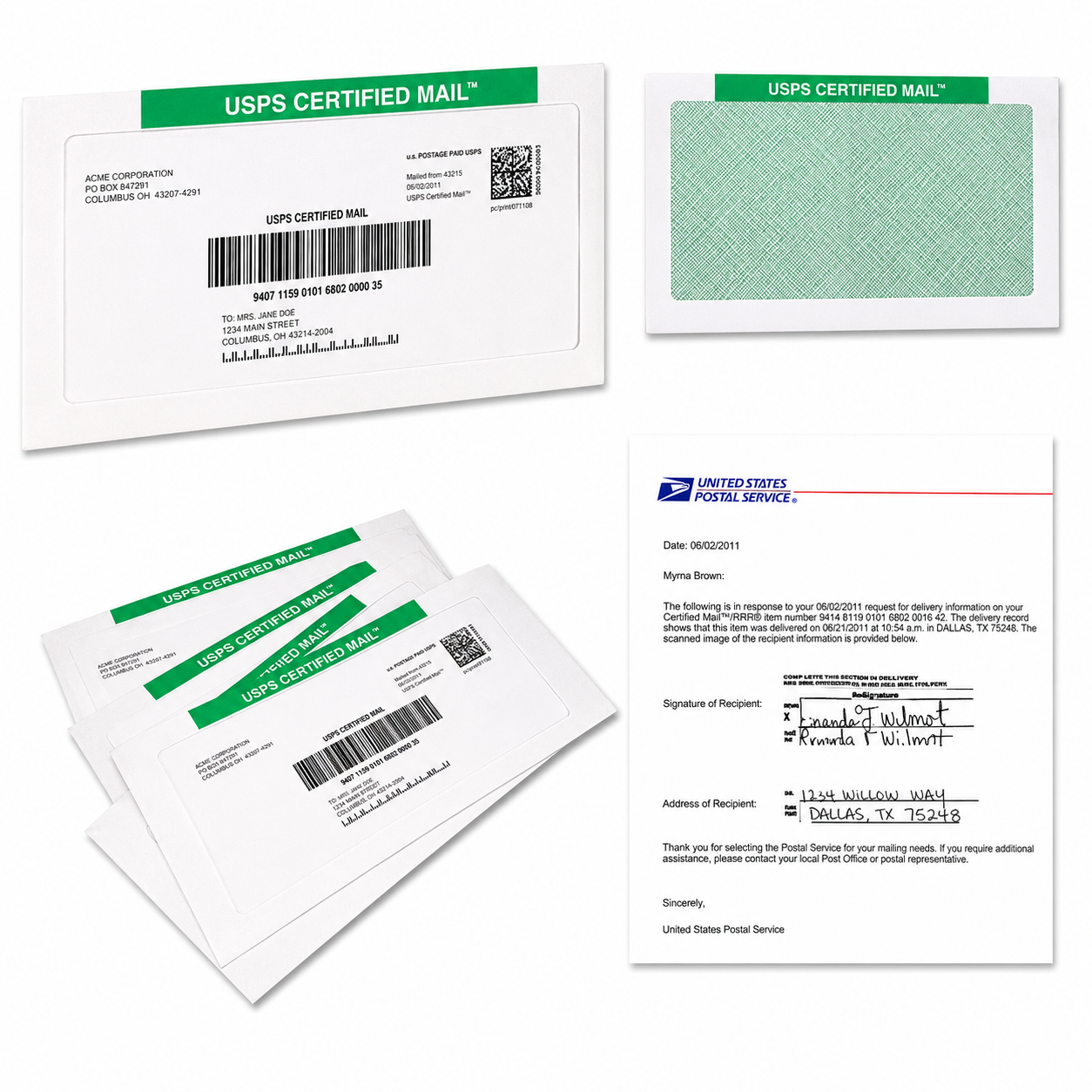 PS Form 3800 is the traditional Certified Mail receipt and green barcoded label.
Under USPS Domestic Mail Manual 503, Certified Mail must bear the barcoded green label portion of Form 3800 or an approved equivalent label. The form includes the Certified Mail number, recipient information, postage and fee sections, and the detachable receipt portion for the sender.
Here are the main benefits of PS Form 3800:
- You’ll receive a receipt connected to your Certified Mail piece.
- You’ll get a unique article or tracking number.
- You can check delivery or attempted-delivery information.
- You’ll have a mailing record to retain with your business files.
- You can add services such as Return Receipt when available and properly requested.
The official PS Form 3800 PDF explains that Certified Mail provides a receipt, a unique identifier, electronic delivery verification, and a USPS delivery record retained for a specified period.
If you request a postmarked sender’s receipt, USPS instructions state that the completed form should be presented with the article to a USPS employee. The employee then round-dates the receipt. That postmark can be important for your internal documentation and may matter for certain business or administrative processes.
With Certified Mail Labels, you can create a live-postage Certified Mail label online and print it on a standard office printer or compatible adhesive sheet. You still need to follow USPS requirements for preparing and presenting the mailpiece, but you no longer need to handwrite the same information repeatedly.
Create And Print A Certified Mail Label Online
What Is PS Form 3811?
PS Form 3811 is the Domestic Return Receipt, commonly called the green card.
It is an optional USPS service that provides evidence of delivery. Depending on the service and mailing method, the return receipt can show information such as:
- The recipient’s signature
- The name of the person who received the mail
- The date of delivery
- The delivery address, if different from the address used by the sender
The USPS Forms Glossary identifies Form 3811 as the Domestic Return Receipt. USPS DMM 503 explains that a mailer requesting a physical return receipt must complete the sender’s entries, including the article identification number, and attach the form to the mailpiece.
The mailpiece must also include a return address when a return receipt is requested. The envelope generally needs the “Return Receipt Requested” endorsement when using the physical form.
PS Form 3811 is not the same as PS Form 3800:
- Form 3800 helps prove the item was mailed and tracks the Certified Mail piece.
- Form 3811 helps prove what happened at delivery and may include the recipient’s signature.
You do not automatically need both. PS Form 3811 is an additional service selected when you need a physical delivery receipt. USPS also provides an electronic return receipt option for eligible mailings. Instead of waiting for a green postcard to return through the mail, you can receive a digital delivery record.
Learn About Electronic Return Receipt

What Is USPS Form 3877?
USPS Form 3877 is the Firm Mailing Book for Accountable Mail. It is used when a sender presents multiple pieces with extra or accountable services at the same time.
USPS DMM 503 states that for three or more pieces with extra or accountable services presented together, the mailer may use Form 3877 or an approved privately printed firm sheet in place of the receipt portion of each individual form.
Form 3877 can help you:
- List multiple mail pieces in one organized document
- Record article numbers and recipient information
- Present a consolidated mailing record to USPS
- Receive a postmarked firm sheet when the mailing is presented and accepted at a Post Office
- Reduce the need to manage a separate manual receipt for every piece
The details can depend on your mailing method. For example, commercial mailings may use electronic submission to PostalOne! and processing at a Business Mail Entry Unit. A privately printed firm sheet may also require approval from the local Postmaster or Business Mail Entry management before use.
That means an online workflow can replace much of the manual preparation of Form 3877, but it does not automatically remove the need to meet USPS acceptance, approval, presentation, or documentation requirements.
How Does An Online Certified Mail Workflow Remove The Manual Burden?
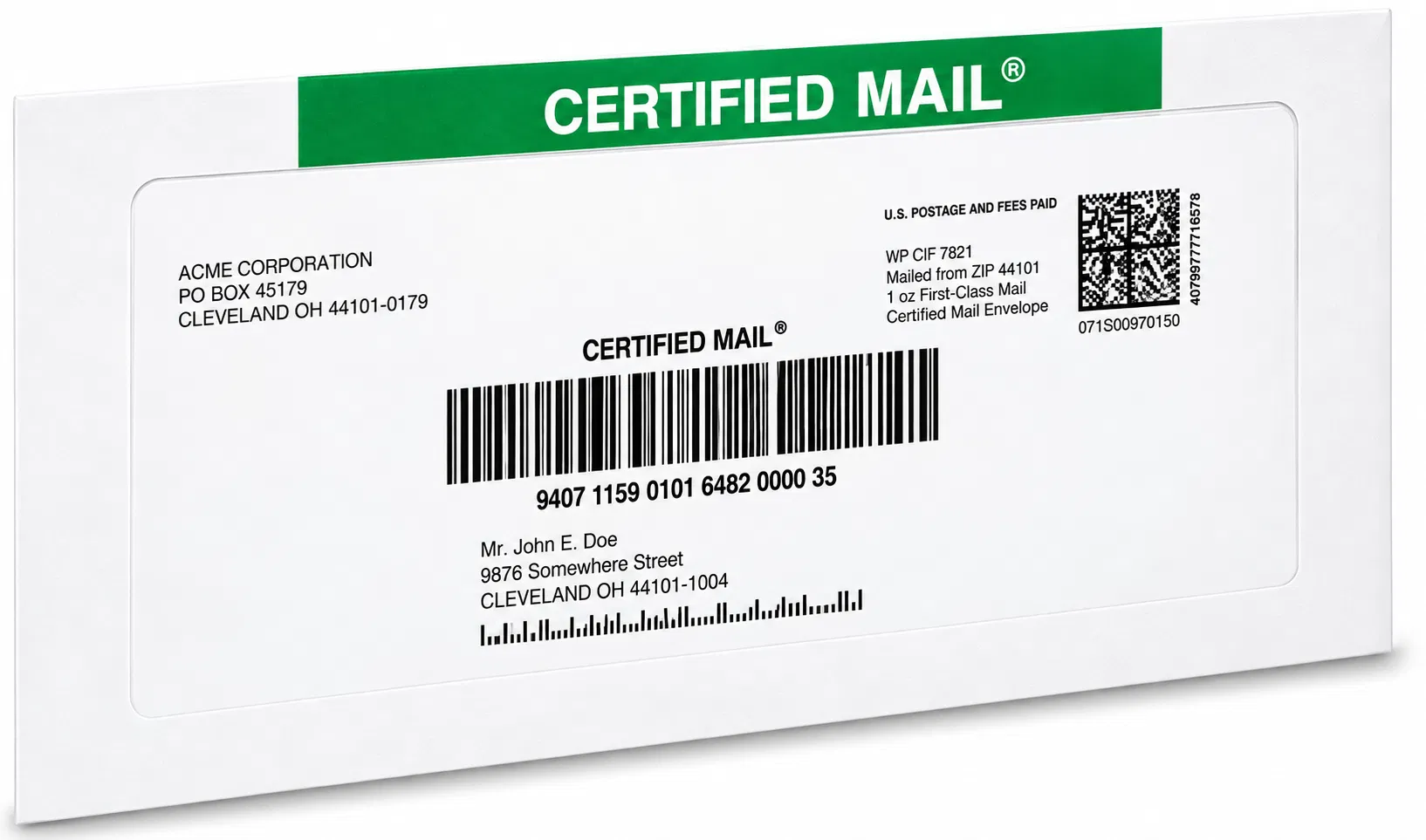 Certified Mail Labels brings the three form-related tasks into one online process.
You’ll be able to choose the workflow that fits your mailing volume:
- Print your own labels: Enter an address or upload mailing data, create a Certified Mail label, and print it from your office.
- Upload a PDF for Print & Mail: Submit your letter and recipient information, and Certified Mail Labels handles printing, inserting, postage, labeling, and mailing.
- Process bulk mailings: Upload Excel or CSV files, or use API and SFTP automation for recurring mailing jobs.
- Select electronic delivery records: Use Electronic Delivery Confirmation or Electronic Return Receipt when appropriate and available.
- Retrieve records later: Search mailing history, tracking events, acceptance information, delivery confirmation, and signature records from your account.
You’ll avoid manually copying recipient addresses onto individual forms. You won’t need to keep stacks of green receipts in filing cabinets. You’ll get a centralized digital record connected to the tracking number, mailing date, address, and delivery status.
For Print & Mail orders submitted before 5:00 PM Eastern, Certified Mail Labels can print and mail your PDF letters the same business day. Each mailing can include USPS acceptance information and a notarized affidavit of mailing, depending on the service selected.
For high-volume teams, Excel batch labels and API/SFTP automation help reduce repetitive data entry and prepare recurring mailings more consistently.
What Does The Online Workflow Replace?
The answer depends on what you mean by “replace.”
Certified Mail Labels can replace many manual steps:
- Manually filling out PS Form 3800
- Handwriting recipient information
- Copying article numbers between forms
- Manually preparing large stacks of labels
- Building separate spreadsheets to track each mailing
- Searching through paper files for delivery records
- Re-entering the same address data for recurring mailings
However, the online workflow does not mean every physical USPS form disappears from every mailing scenario. Some mailings may still require physical presentation, postmarked documentation, an approved firm sheet, or other USPS-specific steps.
Your online label should also be prepared with accurate mailing information, the correct service selections, and the required USPS barcode and data elements. Certified Mail Labels helps simplify that preparation, but USPS rules still control the mailing.

Why Do Businesses Move Certified Mail Records Online?
Paper forms are easy to misplace, especially when your organization sends hundreds or thousands of letters every month.
An online recordkeeping workflow gives you a clearer way to manage:
- Legal notices
- Collection letters
- Lease and rent notices
- Insurance communications
- Healthcare correspondence
- HR and employee notices
- Government and municipal mailings
- Tax and compliance correspondence
- Audit requests
- Delivery disputes
You’ll receive searchable records instead of relying only on paper receipts. You’ll get delivery information connected to each mailing. You can export reports, review tracking activity, and retrieve documents when your team needs them.
Certified Mail Labels also provides a 10-year searchable compliance archive at no extra charge. Your records can include proof of mailing, USPS acceptance scans, tracking history, delivery confirmations, and signature records.
That makes it easier to respond to an audit, confirm that a notice was sent, or locate a delivery record months or years after the original mailing.
How Should You Choose Between The Three Forms?
Use this quick guide:
- Use PS Form 3800 or an approved online equivalent when sending Certified Mail and creating the required Certified Mail label.
- Use PS Form 3811 when you need a physical return receipt with delivery information and a recipient signature.
- Use USPS Form 3877 when presenting three or more accountable mail pieces together and you need a consolidated acceptance record.
- Use Electronic Return Receipt when an eligible mailing requires digital delivery and signature documentation instead of a mailed green card.
- Use an online workflow when you want to reduce manual preparation, automate repetitive mailing tasks, and keep records in one searchable system.
Frequently Asked Questions About USPS Certified Mail Forms
Is PS Form 3800 required for Certified Mail?
USPS DMM 503 states that Certified Mail must bear the barcoded green label portion of PS Form 3800 or an approved equivalent label. Online postage providers may generate approved labels that contain the required barcode and mailing information.
Is PS Form 3811 required with Certified Mail?
No. PS Form 3811 is an optional Domestic Return Receipt. You select it when you want a physical delivery receipt with information such as the recipient’s signature and date of delivery. Electronic Return Receipt may be available for eligible mailings.
What is the difference between Form 3800 and Form 3811?
PS Form 3800 is the Certified Mail receipt and label used to identify the mailpiece and document mailing. PS Form 3811 is the optional return receipt used to document delivery details and, when available, the recipient’s signature.
When should I use Form 3877?
Form 3877 is generally used when three or more pieces with extra or accountable services are presented together. USPS requirements can vary based on the mailing method, volume, location, and whether the firm sheet is submitted electronically or as a hard copy.
Can Certified Mail Labels eliminate all physical USPS forms?
Not in every situation. Certified Mail Labels can eliminate much of the manual form preparation and provide digital records, but certain mailings may still require physical labels, postmarked documents, USPS presentation, or approved firm-sheet procedures.
Is this article legal advice?
No. This article provides general information about USPS forms and online mailing workflows. It is not legal advice. If a deadline, court rule, regulation, or agency requirement applies to your mailing, confirm the required service and documentation with the appropriate authority.
Start Your Certified Mail Workflow Online
You don’t have to keep preparing Certified Mail one form at a time. Create labels online, upload your PDF letters, automate bulk address lists, select electronic delivery records, and keep your mailing history searchable.
Start Creating Certified Mail Labels
Review Electronic Return Receipt Options
You’ll save time, reduce paperwork, and keep the records you need in one place, while continuing to follow the USPS requirements that apply to your specific mailing.