
Compliance Without a Mailroom
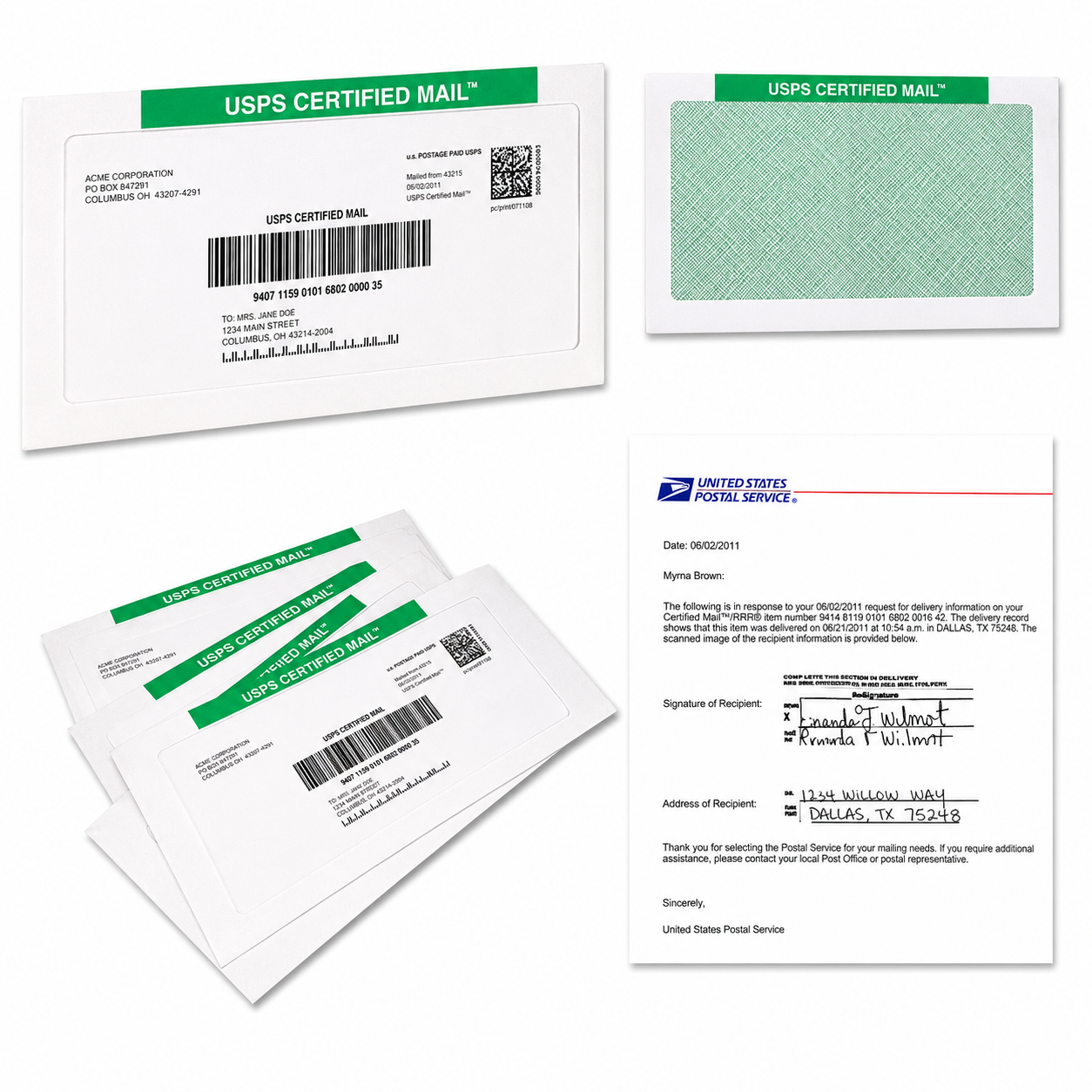
Yes, distributed teams can run repeatable Certified Mail workflows from home or office without a physical mailroom. You can centralize templates, address checks, authorization, online postage and labels, USPS acceptance evidence, tracking, Electronic Return Receipt records, and archive access in one process. Each team member can print and mail locally, or your team can upload documents for full-service Print & Mail.
For law firms, property managers, collection agencies, healthcare providers, HR departments, financial institutions, municipalities, and remote operations teams, this means less manual work and better control over important notices.
Why Is Certified Mail Difficult for Remote Teams?
Certified Mail is often tied to one office, one printer, one mail coordinator, and one filing cabinet. That model becomes difficult when your team works across several states, time zones, and home offices.
You may need to:
- Prepare a notice from a standard template.
- Confirm the recipient’s complete address.
- Obtain internal approval before sending.
- Apply the correct postage and Certified Mail service.
- Keep evidence that the item entered the USPS mailstream.
- Monitor delivery or attempted delivery.
- Retrieve a signature when required.
- Preserve records for an audit, dispute, client request, or internal review.
Without a repeatable process, important steps can be missed. A team member may save a tracking number in email, another may keep a paper receipt, and someone else may store the final document in a local folder.
Certified Mail Labels helps you replace that scattered process with a modern online workflow. Since 2006, the platform has supported more than 33 million labels and 200,000+ customers. Certified Mail Labels is BBB Accredited and trusted by Fortune 500 organizations.
How Can You Send Certified Mail From Home or Office?
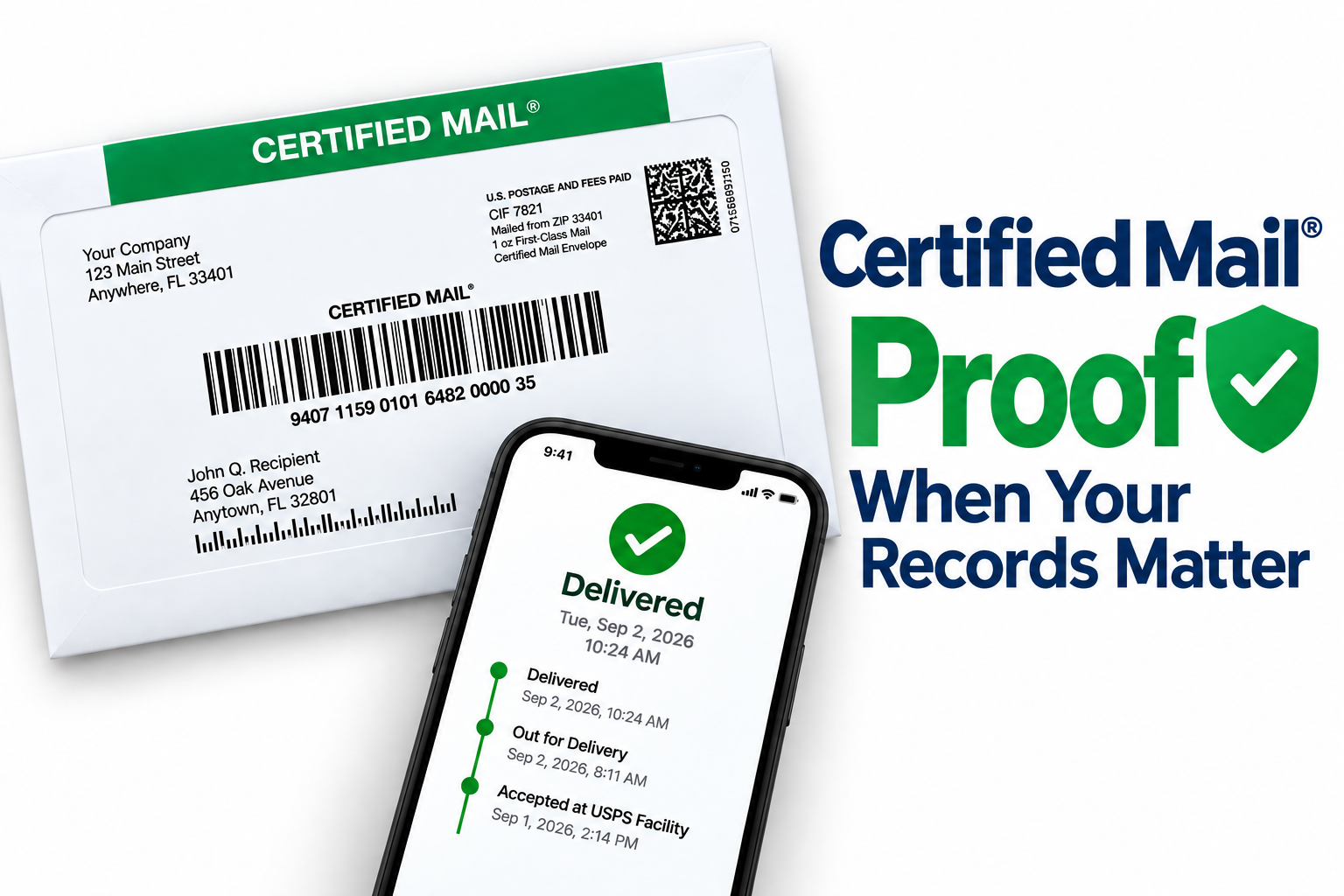
You have two practical options: print the Certified Mail label yourself or let Certified Mail Labels print and mail the letter for you.
Option 1: Create and Print Certified Mail Online
When your team already prints and handles its own outgoing mail, you can create a Certified Mail label online and print it from almost any location.
Here are just a few benefits:
- You’ll create USPS Certified Mail labels with live postage.
- You’ll print on a standard office printer or adhesive label sheet.
- You won’t need a postage meter.
- You won’t need special software to install.
- You won’t need equipment leases.
- You won’t pay monthly fees or sign a contract.
- You’ll receive USPS tracking and Electronic Delivery Confirmation.
- You can add Electronic Return Receipt when you need delivery and signature information.
- You can give approved team members access to the same online account.
- You can mail the prepared envelope through your local USPS collection process.
The USPS Domestic Mail Manual 503 explains that Certified Mail provides a mailing receipt and electronic verification of delivery or attempted delivery. Certified Mail is available with eligible First-Class Mail and Priority Mail pieces, and Return Receipt can be added when you need a delivery record that includes recipient information and a signature.
USPS also provides a shorter overview in its Quick Service Guide 503.
When you print from home or a remote office, use a shared procedure. The sender should confirm the correct document, address, service option, return address, and internal reference before placing the envelope into the mailstream.
Option 2: Upload a PDF for Full-Service Print & Mail
If your remote employees should not print, stuff envelopes, or manage USPS drop-off, use full-service Print & Mail.
You upload a PDF letter and recipient address. Certified Mail Labels handles:
- Printing the document.
- Applying the Certified Mail postage and label.
- Inserting the letter into the envelope.
- Preparing the mailing for USPS.
- Mailing orders submitted before 5:00 PM Eastern the same business day.
- Providing USPS acceptance and tracking information.
- Providing a notarized affidavit of mailing.
- Storing the mailing record in your searchable archive.
This option is useful when employees work from home, travel frequently, or handle sensitive notices that should follow one centralized production process. It also helps eliminate the need to ship documents between offices or ask employees to visit a Post Office.
What Does a Remote-Team Certified Mail Workflow Look Like?
A strong workflow separates document preparation from mailing authorization and evidence collection.
| Workflow Step | Remote-Team Action | Centralized Control |
|---|---|---|
| 1. Prepare | Create the letter from an approved template and save the final PDF. | Version-controlled templates and naming rules |
| 2. Check the address | Confirm the recipient name, street address, city, state, and ZIP Code. | Shared address book or approved list review |
| 3. Request approval | Submit the document, recipient, deadline, and service type for review. | Sender and approver roles |
| 4. Choose mailing method | Print the label locally or upload the PDF for Print & Mail. | Standard rule based on urgency, volume, or sensitivity |
| 5. Create the mailing | Generate the Certified Mail label and select Electronic Delivery Confirmation or Electronic Return Receipt. | Required service settings and cost controls |
| 6. Mail the piece | Drop off the prepared envelope locally, or let Certified Mail Labels mail it. | Acceptance evidence and mailing date |
| 7. Monitor | Review tracking, delivery, attempted delivery, or return events. | Shared dashboard and notifications |
| 8. Archive | Store the letter, address, tracking, acceptance, delivery, and signature records. | Searchable 10-year compliance archive |
How Do Address Checks Improve Remote Mailing Accuracy?
Address quality matters even more when no central mailroom employee is checking every envelope.
Use USPS Publication 28: Postal Addressing Standards as your official address-format reference. It covers delivery address lines, last lines, secondary unit designators, rural routes, Post Office Boxes, and business addressing standards.
Your internal address checklist should confirm:
- Recipient name or organization.
- Complete delivery address.
- Apartment, suite, unit, or floor information.
- City, state, and ZIP Code.
- Return address.
- Internal case, account, employee, tenant, or claim reference.
- Matching document and recipient data.
No workflow can fix an incorrect recipient address after the mailing is created. Give remote employees a shared source of truth and require a second review for high-risk notices.

When Should You Use Electronic Return Receipt USPS Service?
Certified Mail provides delivery or attempted-delivery information. Electronic Return Receipt adds a digital delivery record with available recipient signature information.
It is the online alternative to the traditional paper green card, USPS PS Form 3811. Instead of waiting for a card to return by mail, your team can access the electronic record through the platform when it becomes available.
Choose Electronic Return Receipt when:
- You need a signature record.
- Your team is fully remote.
- You want to avoid paper receipt handling.
- You need to share delivery evidence with counsel, a client, auditor, or manager.
- You want to connect the delivery record to a case or account.
- You want electronic records stored with the mailing history.
USPS DMM 503 states that Return Receipt provides evidence of delivery, including to whom the item was delivered and the date of delivery. It also explains that mailers may choose an electronic return receipt option for eligible mailings.
How Does a 10-Year Compliance Archive Help?
Remote teams need records that are available to more than one person. A receipt saved on an employee’s laptop is not a dependable organization-wide process.
With the Certified Mail Labels 10-year compliance archive, you can search historical mailing information from one account, including:
- The original mailing record.
- USPS acceptance information.
- Tracking events.
- Delivery or attempted-delivery details.
- Electronic Delivery Confirmation.
- Electronic Return Receipt records when purchased and available.
- Signature information supplied by USPS.
- Affidavits and proof-of-mailing documents.
- USPS SCAN Form documentation for qualifying bulk workflows.

You’ll get long-term access without relying on paper folders, individual inboxes, or former employees’ local files. You can also use the archive to answer questions faster when someone asks, “When was this sent?” or “Was delivery attempted?”
Remote-Team Role-Control Checklist
Use this checklist to make your Certified Mail process consistent:
- Sender: Prepares the final PDF and enters the recipient information.
- Reviewer: Checks the document, address, deadline, and requested service.
- Approver: Authorizes the mailing when your internal policy requires approval.
- Mailing administrator: Creates the label or submits the Print & Mail order.
- Status owner: Monitors tracking and handles returned or attempted-delivery items.
- Records owner: Confirms that acceptance, delivery, signature, and affidavit records are archived.
- System administrator: Manages users, permissions, templates, and account settings.
For larger teams, use Excel or CSV uploads for recurring batches. Certified Mail Labels also supports bulk automation through Excel batch processing, API and secure SFTP workflows, and USPS SCAN Forms.
Frequently Asked Questions
Can I Send Certified Mail From Home?
Yes. Create a Certified Mail label online, print it on a standard office printer, attach it to the envelope, and use your local USPS mailing process. You can also upload a PDF and have Certified Mail Labels print and mail it for you.
Can I Print Certified Mail Online Without a Postage Meter?
Yes. Certified Mail Labels lets you create and print live-postage Certified Mail labels online without a postage meter, special software, equipment lease, monthly fee, or contract.
What Is the Difference Between Electronic Delivery Confirmation and Electronic Return Receipt?
Electronic Delivery Confirmation provides delivery or attempted-delivery information. Electronic Return Receipt is an add-on that provides available recipient signature and delivery information electronically.
Can Certified Mail Labels Mail My Letter for Me?
Yes. Upload your PDF and address information. Orders submitted before 5:00 PM Eastern are printed, inserted, and mailed the same business day. A notarized affidavit of mailing is included.
How Long Are Certified Mail Records Kept?
Certified Mail Labels provides a searchable 10-year compliance archive for mailing records, USPS acceptance, tracking, delivery confirmations, and available signature records.
Is This Legal Advice?
No. This article explains mailing workflow options only. Certified Mail does not automatically satisfy every notice, service, filing, or legal deadline. Ask your attorney or compliance counsel to confirm the requirements that apply to your specific matter.
Build Your Certified Mail Workflow Without a Mailroom
Your team can send important documents from home, office, or anywhere your work takes you. Start with online label printing, choose full-service Print & Mail, automate recurring work with Excel, API, or SFTP, and add Electronic Return Receipt when you need digital signature evidence.
Create your account, standardize your workflow, and centralize your records. You’ll save time, reduce mailing friction, and keep your Certified Mail proof accessible for the next request, audit, or dispute, without building a mailroom.