
Certified Mail for Government Agencies: Tracking, Batch Mail & Records
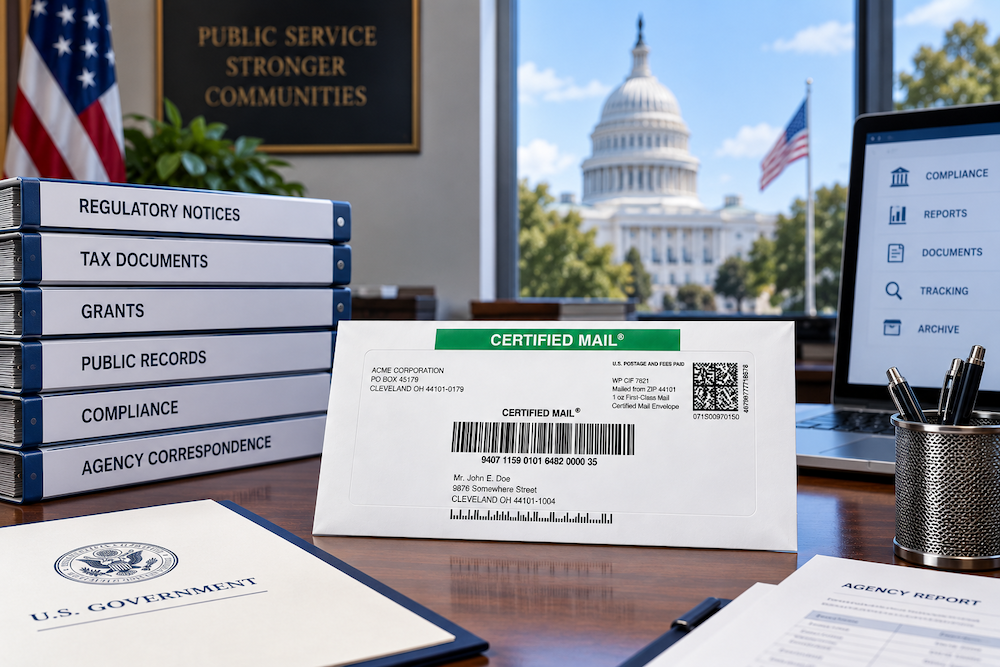 Government mail often becomes part of the official record.
A tax notice, code-enforcement letter, licensing communication, administrative order, utility notice, property-related letter, or regulatory correspondence may later raise questions that go beyond whether the envelope left the office:
- What notice was sent?
- Which address was used?
- When did USPS record the mailpiece?
- Which tracking number belongs to the record?
- Was delivery completed or attempted?
- Was a Return Receipt required?
- Was the mailing part of a larger batch?
- Can the agency retrieve the record years later?
Certified Mail Labels helps federal, state, county, municipal and other public-sector organizations create, track and manage USPS Certified Mail online while keeping available mailing, acceptance, delivery and Return Receipt records connected to the agency workflow.
Departments can create one label, process hundreds or thousands of notices through Excel or CSV, use USPS SCAN Forms for eligible batch acceptance, or automate recurring mail through API or secure SFTP.
Create a Certified Mail Label Schedule a Live Demo
Why Do Government Agencies Use Certified Mail?
Government agencies may use USPS Certified Mail when a statute, regulation, administrative procedure, court rule, contract, program requirement, or internal policy calls for a documented mailing method.
Certified Mail provides:
- A numbered USPS mailpiece
- A mailing record
- USPS tracking
- Delivery or attempted-delivery information
- The ability to add Return Receipt when needed
Certified Mail is not required for every government notice. Depending on the program or jurisdiction, the correct method may instead be First-Class Mail, Certificate of Mailing, personal service, posting, electronic delivery, publication, or a combination of methods.
The first step is always to identify the requirement governing the specific notice.
Common Government Certified Mail Use Cases
When Certified Mail is the appropriate service, government organizations may use it for correspondence such as:
Tax & Revenue Notices
Delinquency notices, assessments, collection correspondence, property-tax communications and other revenue-related mailings.
Code Enforcement
Violation notices, corrective-action letters, property-maintenance correspondence and enforcement communications.
Licensing & Permits
License notices, permit actions, renewals, suspensions and administrative correspondence.
Administrative Orders
Agency determinations, hearing notices, compliance orders and other formal administrative communications.
Utilities & Public Works
Service notices, infrastructure communications, property access notices and municipal utility correspondence.
Property & Land Matters
Property notices, right-of-way correspondence, tax-sale communications and other real-property mail.
Benefits & Program Notices
Administrative notices and program-related correspondence when a documented mailing method is required.
Government Collections
Account notices, demands, balances due and other public-sector collections correspondence.
Government Mail Is a Records Workflow, Not Just a Postal Task
For a public-sector organization, the mailing record may need to survive staff changes, audits, legal requests, administrative reviews and public-record inquiries.
A usable government Certified Mail record may include:
| Record | Why It Matters |
|---|---|
| Final notice | Shows what the agency says was actually mailed. |
| Recipient & address | Documents where the communication was directed. |
| Case, parcel or account reference | Connects the mailing to the government's system of record. |
| USPS tracking number | Identifies the individual Certified Mail piece. |
| USPS acceptance activity | Helps document USPS handoff or entry into the mailstream. |
| Tracking history | Shows delivery, attempted delivery and other USPS events. |
| Electronic Delivery Confirmation | Organizes available mailing and delivery activity into a PDF record. |
| Return Receipt | Adds the USPS return-receipt record when purchased and required. |
A Better Government Certified Mail Workflow
1 Confirm
Identify the statute, rule, policy or program requirement governing the notice.
2 Validate
Confirm the recipient, address, notice template, deadline and mailing method.
3 Generate
Create the Certified Mail label individually, in a batch or through automation.
4 Accept
Preserve the appropriate USPS acceptance or SCAN Form record.
5 Track
Monitor delivery, attempted delivery, forwarding, refusal and returned mail.
6 Archive
Keep the mailing and delivery record connected to the agency file.
Government Batch Certified Mail: Where the Biggest Efficiency Gains Happen
A department mailing five letters has a different problem from an agency mailing 5,000.
At higher volumes, the main risk is not just postage. It is reconciliation.
The agency needs to know:
- Which recipient belongs to each tracking number
- Which notice was sent
- Which statutory or administrative deadline applies
- Which pieces USPS accepted
- Which items were delivered
- Which items were refused, unclaimed or returned
- Which records require follow-up
Certified Mail Labels supports Excel and CSV batch processing so departments can create multiple Certified Mail labels from structured data instead of retyping every recipient.
Custom reference fields can keep tracking connected to identifiers such as:
- Parcel number
- Tax account
- Case number
- Permit number
- License number
- Department code
- Utility account
- Notice type
Sending Government Certified Mail in Batches?
Upload Excel or CSV data to create multiple USPS Certified Mail labels while keeping tracking and internal reference information connected.
USPS SCAN Forms for Government Mailings
For eligible batch mailings, a USPS Shipment Confirmation Acceptance Notice can streamline acceptance.
The SCAN Form groups associated tracked pieces under one master barcode. USPS scans that barcode during acceptance rather than requiring the clerk to process each eligible piece individually.
For public-sector teams, this can help create a documented acceptance event for a defined mailing group while reducing counter time for larger batches.
A SCAN Form works best when it is retained with:
- The source mailing file
- The individual tracking numbers
- Recipient information
- The batch or manifest record
- Any internal agency reference
Electronic Delivery Confirmation for Government Records
The Certified Mail Labels Electronic Delivery Confirmation can organize available USPS mailing and delivery activity into a downloadable PDF.
Depending on the mailing, the report can include:
- Return address
- Delivery address
- Certified Mail tracking number
- Internal label reference
- Available USPS acceptance information
- Tracking history
- Delivery information
That can make the postal record easier to store with a tax file, permit case, enforcement matter, utility record, administrative file or other government record.
See the Electronic Delivery Confirmation
When Government Notices Need Return Receipt
Certified Mail and Return Receipt are separate USPS services.
Certified Mail provides tracking and delivery or attempted-delivery information.
Return Receipt provides an additional USPS delivery record and can include available signature information.
If the governing requirement specifically says Certified Mail, Return Receipt Requested, the department should select the required Return Receipt service rather than assuming standard Certified Mail is equivalent.
Return Receipt Electronic can reduce the need to receive, scan and file physical green cards when the electronic form is appropriate for the notice.
Learn About Return Receipt Electronic
Government Mail Workflows Need an Exception Process
A successful mailing workflow should identify failed and incomplete delivery outcomes, not only successful ones.
Statuses that may require review include:
- Notice Left
- Available for Pickup
- Insufficient Address
- Forwarded
- Refused
- Unclaimed
- Returned to Sender
The correct response depends on the specific notice requirement.
For example, one program may require a second mailing after an unclaimed Certified Mail piece, while another may require personal service, posting, address research or no additional action.
Departments should define who reviews exceptions and how the outcome is documented before a mailing project begins.
Certified Mail Reports for Government Offices
| Report | Government Workflow Use |
|---|---|
| Summary Tracking Report | Search mailings, review statuses and identify delivery exceptions. |
| Electronic Delivery Confirmation | Store consolidated USPS mailing and delivery activity with the agency record. |
| Return Receipt Electronic | Retrieve the USPS return-receipt record when purchased. |
| USPS SCAN Form | Support acceptance of qualifying tracked batch mailings. |
| Mail Manifest | Review mailing data, addresses, tracking numbers and postage. |
| Affidavit of Mailing | Support processes that call for a sworn statement of mailing. |
Explore Certified Mail Reports.
Automating Government Certified Mail With API or SFTP
Recurring government mail does not always need to begin with a spreadsheet.
Certified Mail Labels supports API and secure SFTP workflows for agencies and service providers that need Certified Mail integrated into existing systems.
A structured workflow can connect:
- Agency source data
- Recipient information
- Notice type
- Internal case or account reference
- Certified Mail tracking number
- USPS status information
- Delivery records
- Return Receipt data when selected
Common source systems can include:
- Tax and revenue systems
- Code-enforcement platforms
- Licensing databases
- Utility billing systems
- Case-management systems
- Permit platforms
- Custom government applications
Automation can reduce repetitive handoffs while preserving a structured mailing record.
Keep Government Mailing Records Searchable for Up to 10 Years
Government mail may be reviewed long after the original mailing.
Records may later be needed for:
- Audits
- Administrative appeals
- Litigation
- Records requests
- Tax disputes
- Property matters
- Regulatory review
- Internal investigations
- Customer or constituent inquiries
Certified Mail Labels keeps available tracking and delivery information searchable in the account for up to 10 years.
The agency's governing records schedule still determines how long the official government record must be retained. The CML archive supports retrieval but does not replace that schedule.
Protect Sensitive Information in Government Mail Workflows
Government correspondence may include personal, financial, property, licensing, tax or program information.
A documented mailing process should also minimize unnecessary exposure.
Consider these controls:
- Use the minimum information necessary on the exterior of the envelope
- Avoid placing sensitive data in visible custom references
- Limit system access to authorized users
- Use standardized naming conventions for internal references
- Follow agency information-security and records-management policies
- Review source files before large batch mailings
Common Government Certified Mail Mistakes
1. Assuming Every Government Notice Requires Certified Mail
It does not. Use the delivery method required by the governing statute, rule, policy or program.
2. Treating Certified Mail as Proof of the Letter's Contents
USPS tracks the mailpiece. The agency should retain the exact final notice separately.
3. Treating Label Creation as USPS Acceptance
Creating postage and USPS recording possession of the physical mailpiece are different events.
4. Manually Entering Large Recipient Lists
High-volume manual entry increases the risk of transcription errors and mismatched tracking numbers.
5. Keeping Postal Records Outside the System of Record
Do not leave tracking numbers only in email, spreadsheets on personal drives or paper logs near the mailroom.
6. Ignoring Returned or Unclaimed Mail
Define an exception process before the mailing begins.
7. Confusing Certified Mail With Return Receipt
Return Receipt is a separate USPS extra service.
8. Using One Mailing Procedure for Every Department
Tax, licensing, legal, code enforcement, utilities and administrative notices may have different requirements.
Why Government Agencies Use Certified Mail Labels
Certified Mail Labels supports both low-volume departments and recurring enterprise government mail.
Available tools include:
- Individual USPS Certified Mail labels online
- Excel and CSV batch processing
- Custom reference fields
- USPS tracking
- Electronic Delivery Confirmation
- Return Receipt Electronic
- USPS SCAN Forms for qualifying mailings
- Certified Mail reports
- API integration
- Secure SFTP automation
- Full-service Print & Mail options
- Multi-user workflows
- Searchable mailing and delivery records for up to 10 years
- U.S.-based Customer Support
- No monthly fee or long-term contract for a standard account
Choose the Government Mailing Workflow That Fits Your Department
A municipal office mailing one enforcement notice should not need the same workflow as a statewide agency mailing thousands of recurring notices.
Send a Batch
Upload Excel or CSV data for tax, code, licensing or other notice projects.
Review the Workflow
Talk through volume, reporting, batch acceptance and system integration.
Frequently Asked Questions About Certified Mail for Government Agencies
Why do government agencies use Certified Mail?
Government offices may use Certified Mail when a statute, regulation, policy, administrative procedure or program requires a documented USPS mailing method. Certified Mail provides a mailing record, tracking number and delivery or attempted-delivery information.
Does every government notice require Certified Mail?
No. The appropriate method may be Certified Mail, First-Class Mail, Certificate of Mailing, personal service, posting, electronic delivery, publication or another method.
Does Certified Mail prove what was inside the envelope?
No. Certified Mail documents the mailpiece and USPS activity. The agency should retain the final notice and connect it to the tracking record.
Does Certified Mail automatically include Return Receipt?
No. Return Receipt is a separate USPS service. Select it when the governing requirement calls for a return-receipt record.
Can government agencies send Certified Mail in bulk?
Yes. Certified Mail Labels supports Excel and CSV batch processing, USPS SCAN Forms for eligible batches, and API or SFTP automation for higher-volume workflows.
What is a USPS SCAN Form?
A USPS SCAN Form groups eligible tracked mailpieces under a master barcode so USPS can streamline acceptance of the associated batch.
What is Electronic Delivery Confirmation?
Electronic Delivery Confirmation is a downloadable record that organizes available mailing, USPS tracking and delivery information associated with the Certified Mail transaction.
Can Certified Mail Labels integrate with government systems?
Yes. Certified Mail Labels offers API and secure SFTP workflows for qualifying integrations with tax, licensing, utility, enforcement and other government systems.
How long does Certified Mail Labels keep government mailing records?
Certified Mail Labels keeps available tracking and delivery information searchable for up to 10 years. The agency should still follow its official records-retention schedule.
Can multiple departments use Certified Mail Labels?
Yes. Multi-user and high-volume workflows can support departments with different mailing needs while maintaining centralized account access and records.
Can Certified Mail Labels print and mail government notices?
Full-service Print & Mail options are available for organizations that want documents printed, prepared and entered into USPS without handling physical mail internally.
Government & Certified Mail Resources
- Certified Mail Solutions by Industry
- Government Correspondence Mailing Guide
- Certified Mail Tracking Summary Report
- Electronic Delivery Confirmation
- Return Receipt Electronic
- USPS SCAN Form
- Excel Batch Labels
- API & SFTP Automation
- Certified Mail Reports
Build Government Mailing Documentation Into the Process
 When a tax notice, code-enforcement letter, licensing communication or administrative notice is reviewed months or years later, the agency should not have to reconstruct the mailing history from handwritten receipts, employee inboxes and disconnected spreadsheets.
Certified Mail Labels helps government teams create the record while the mailing is happening: recipient, tracking number, batch information, USPS activity, delivery status, Return Receipt when selected and long-term searchable records.
Create your next Certified Mail label online, or schedule a Live Demo with a member of our Customer Support Team to review your department's mailing workflow.
Create a Certified Mail Label Schedule a Live Demo
Certified Mail Labels provides mailing technology and services and does not provide legal advice. Government mailing requirements vary by statute, regulation, program, jurisdiction and notice type. Review the governing requirement before selecting a delivery method.