
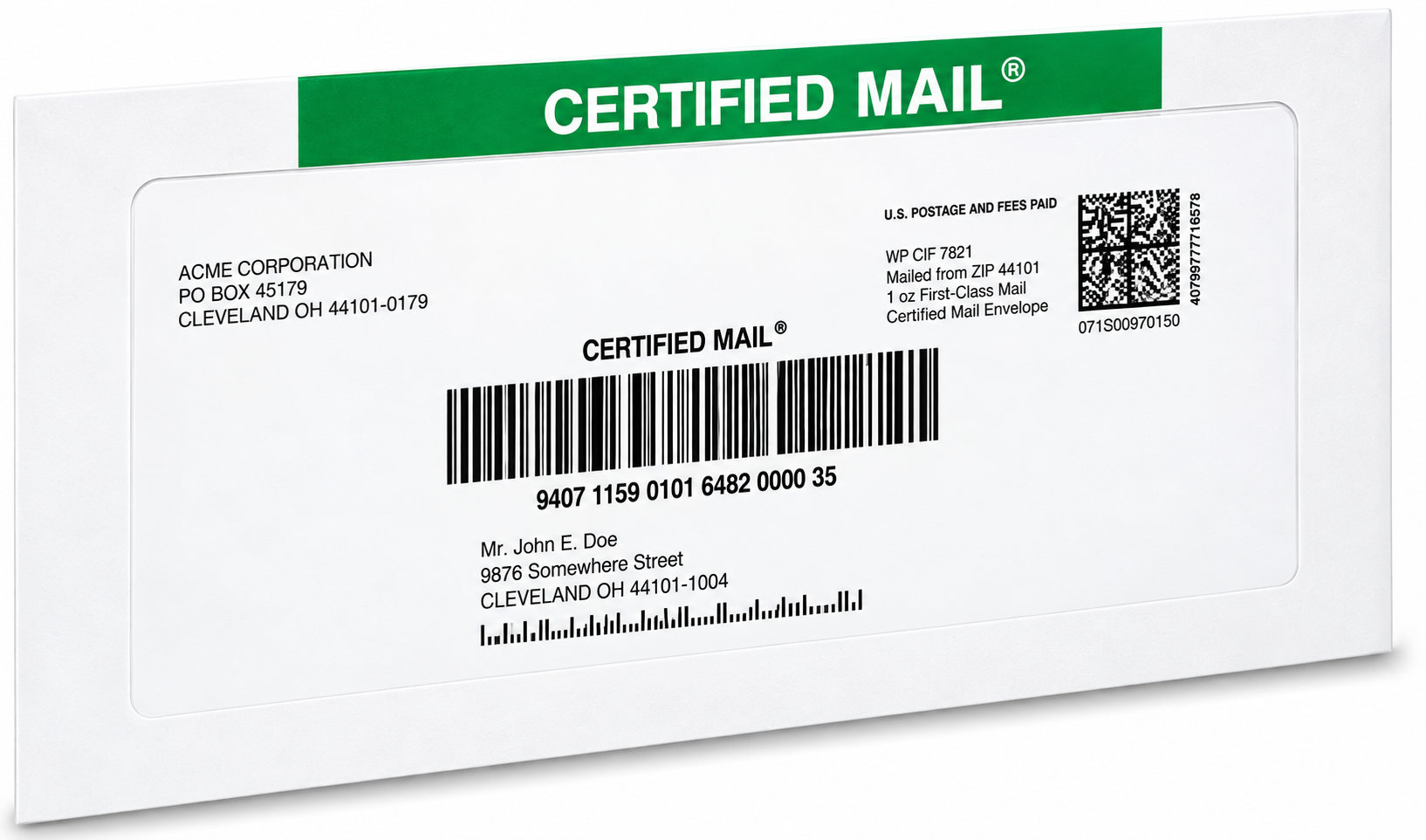
Sending a letter by Certified Mail means you can prove it was mailed and delivered, with a signature at the destination. You can send it online in minutes or at any Post Office counter, and either way you end up with a mailing receipt, USPS tracking, and a delivery record you can keep. This guide walks through both routes step by step so your letter arrives documented, on time, and with proof attached.
Why Send Important Letters by Certified Mail?
Regular mail carries no proof. If a deadline matters, or a dispute could turn on whether a notice was actually received, Certified Mail gives you the record that ordinary postage cannot:
- You'll get a mailing receipt showing the date your letter entered the USPS mailstream.
- You'll get USPS tracking from acceptance through delivery or a documented delivery attempt.
- You'll get a signature at delivery, so no one can claim the letter never arrived.
- You'll skip the "it got lost in the mail" conversation entirely, because the record settles it.
Senders reach for Certified Mail when the letter matters: tax filings, legal notices, contracts, landlord-tenant correspondence, and any letter where the date of delivery could later be questioned. If you're weighing Certified Mail against a faster mail class, our comparison of Certified Mail and Priority Mail breaks down when proof matters more than speed.
How to Send Certified Mail Online
Online is the fast route. You skip the counter, the forms, and the line, and you pay less than retail rates. Here's the process with Certified Mail Labels:
Step 1: Create a Free Account
Sign up online in a few minutes. There are no monthly fees, no contracts, and no software or special equipment to buy. You only pay for what you mail.
Step 2: Set Up Payment and Enter Your Letter Details
Add a payment method, then enter the recipient's address and choose your mail options. You can select First-Class Mail or Priority Mail postage, add Return Receipt service, and choose Restricted Delivery if only a specific person should be allowed to sign. Double-check the address before you continue; small errors are the most common cause of delivery delays.
Step 3: Print Your Label and Mail the Letter
Print the live-postage Certified Mail label on a standard printer, attach it to your envelope, and drop it in any USPS collection box or hand it to your mail carrier. Tracking begins as soon as USPS accepts the piece. Prefer not to print at all? Our Print & Mail service prints your letter, inserts it, applies the postage, and hands it to USPS the same business day for orders placed by 5:00 PM Eastern, with a notarized affidavit of mailing included.
Step 4: Track Delivery and Keep Your Records
You'll receive email notifications as your letter moves, including Electronic Delivery Confirmations and Return Receipt signatures when applicable. Every proof is stored in your complimentary 10-year compliance archive, available 24/7, so the record is there if you ever need it.
Prefer to see it in one shot? Our guide to sending Certified Mail from home covers the screen-by-screen version.
How to Send Certified Mail at the Post Office
The counter route works too, and some senders still prefer it for a single letter:
- Bring your sealed, addressed envelope to the Post Office and ask for Certified Mail service.
- The clerk applies the Certified Mail receipt form (PS Form 3800) to your envelope. It carries the tracking barcode, and you keep the perforated receipt portion.
- Pay the postage for your chosen mail class plus the Certified Mail fee, and any add-ons such as Return Receipt or Restricted Delivery.
- Keep your receipt. It is your proof of mailing and carries the tracking number you'll use to follow the letter.
Current service fees and postage prices are always listed on our USPS Certified Mail rates page, so check there before you mail.
Common Mistakes That Delay Certified Mail
- Wrong or incomplete recipient address. Verify every field before mailing; a misaddressed letter may be refused, re-attempted, or held.
- Missing postage for the mail class you chose. Certified Mail is an add-on to postage, not a substitute for it.
- Forgetting to sign up for Return Receipt when you actually need the signature copy. Decide before you print.
- Losing the paper receipt at the Post Office. USPS tracking works from the number on that receipt, so photograph it or store it digitally.
Ready to Send Your Letter the Easy Way?
You can be printing live-postage Certified Mail labels in minutes. Create your free account, enter the address, and skip the Post Office trip for good. Want a walkthrough first? Contact our Customer Support Team and schedule a free live demo.
Frequently Asked Questions
How do I send a letter by Certified Mail?
Seal and address your envelope, purchase Certified Mail service (online or at the Post Office), and pay the postage for your chosen mail class plus the Certified Mail fee. You'll receive a mailing receipt with a tracking number, and the recipient must sign for the letter at delivery.
Can I send Certified Mail without going to the Post Office?
Yes. Create and print live-postage Certified Mail labels online, attach one to your envelope, and place it in any USPS collection box or hand it to your carrier. You can also upload your letter and address list to a Print & Mail service that prints, inserts, and mails it for you the same business day.
What proof do I get when I send Certified Mail?
You get a mailing receipt showing the date of mailing, USPS tracking from acceptance to delivery, and a signature record at delivery. With Return Receipt service, you also receive a copy of the recipient's signature, electronically or by mail.
Does Certified Mail require a signature?
Yes. Someone at the delivery address must sign for the piece, which is what creates the proof of delivery. If you want only the named addressee to be able to sign, add Restricted Delivery.
How fast is Certified Mail delivery?
Certified Mail travels at the speed of the mail class you select, and delivery timing varies by route and postal conditions. Check the USPS service estimate for your mailing, and allow extra time if no one is available to sign on the first attempt.
What is the difference between Certified Mail and Return Receipt?
Certified Mail provides proof of mailing, tracking, and a delivery signature. Return Receipt is the optional add-on that gives you a copy of that recipient signature, either as a paper card or electronically, so you can keep it as evidence.